Adding a Social Feature to…

TL;DR - Project Snapshot
For: Netflix subscribers.
Problem: Netflix users currently lack a way to share, receive, or discuss show and movie recommendations within the platform.
Goal: Design a feature that lets users connect with friends by sharing watchlists, recommending titles, and customizing personal “Circles” profiles—all while maintaining Netflix’s brand identity.
Approach: Conducted user research (interviews & surveys) → defined user needs → mapped information architecture → created low-fidelity prototypes → conducted formative testing → developed high-fidelity prototypes → ran summative usability testing → refined based on insights.
Outcome: Designed Netflix Circles, a feature addition that integrates seamlessly across TV, desktop, and mobile—encouraging social connection and discovery within Netflix’s ecosystem.
My Role: Led end-to-end TV interface design, ensuring consistency with Netflix’s UI and accessibility standards.
Projected Impact: Boosted engagement, retention, and new sign-ups through friend-driven recommendations and social sharing.
Limitations: Time-boxed project scope (4 weeks).
Timeline: 1 month
Team: 3 UX/UI Designers
Platform: TV, Desktop, Mobile
Tools: Figma, Miro, Github, VS Code, HTML, CSS, G Suite
User Research
We began by understanding how Netflix users currently engage socially around entertainment and whether they would value a built-in sharing feature.
Step 1 : Proto-Persona
Ryan - The Avid Movie Lover
Ryan enjoys connecting with friends over trending movies and TV shows but often forgets what his friends recommended.
Goals
See what friends are watching
Share favorites in one place
Watch recommended titles easily
Enjoys discovering shows through friends
Likes being part of social movie/tv conversations
Motivations
Forgets what friends recommended
Feels left out of new trending shows
Pain Points
Step 2 : User Interviews
Goal
Understand subscribers’ needs and emotional motivations for a social feature.
4 interviews (via Zoom and in-person) with Netflix subscribers who frequently discuss TV shows with friends.
Methodology
“Talking about new movies and TV shows is a big thing amongst my friends. I’m always looking for something to watch, and so are my friends”
“I love to hear about other peoples’ viewing tastes to connect with them.”
“Hearing what other people are currently watching makes me feel caught up on their life.”
Insights from these user interviews revealed that Netflix viewing is a social act, even when done alone. Users wanted an easy way to bring those conversations inside the app.
Step 3: Google Survey
31 users took our survey.
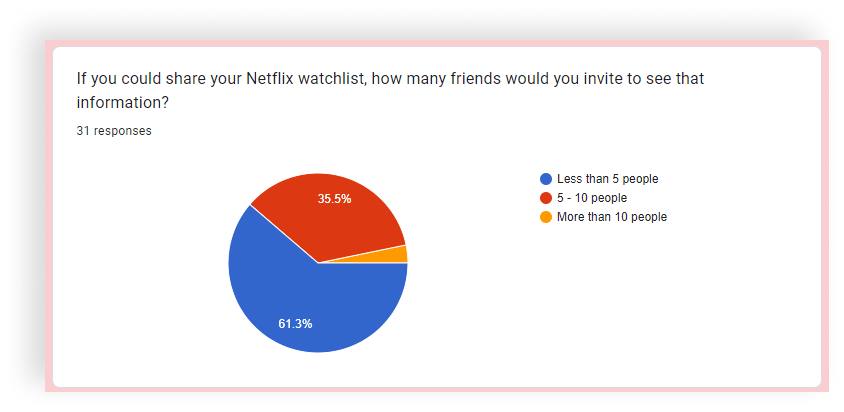
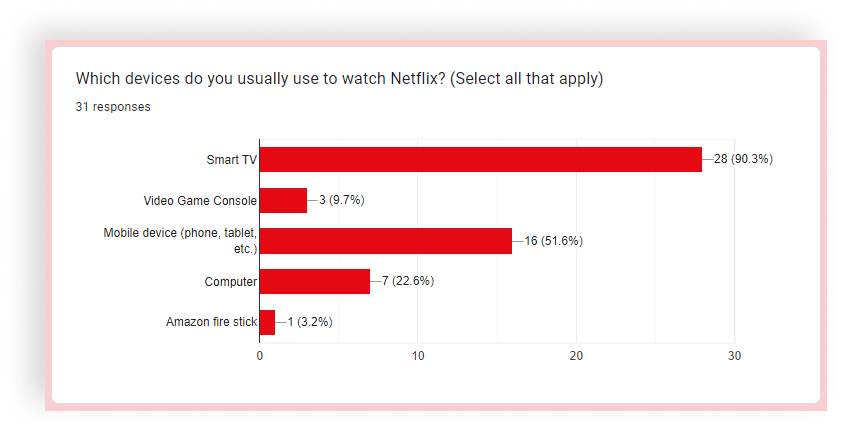
Key Findings:
80% likely to recommend shows to friends
90% watch Netflix on a Smart TV
Most users would invite 5–10 friends to view their watchlists
Step 4: Analysis
Using an Affinity Diagram, we grouped insights and identified recurring patterns:
Recommending and receiving suggestions is a shared social behavior
Users struggle to remember recommendations
Even non–social-media users wanted a way to connect inside Netflix
Problem Statement
Netflix currently lacks a built-in way for subscribers to share and receive show or movie recommendations within the platform. As streaming becomes an increasingly social experience, users are turning to external channels—texts, group chats, and social media—to exchange what they’re watching. This creates a fragmented experience and missed opportunities for organic engagement within Netflix itself. Therefore, Netflix users need a simple way to share and receive show or movie recommendations within the app.
Netflix Circles will bridge that gap by introducing a native social feature that lets users share their personalized profiles with close friends, exchange recommendations, and explore each other’s watchlists—all while staying in the Netflix ecosystem. By transforming viewing into a shared experience, Netflix can not only deepen user connection and retention but also attract new subscribers through friend-driven discovery.
Ideation
With the user need defined, we used the “I Like, I Wish, What If” framework to brainstorm ideas and the Feature Prioritization Matrix to scope the most valuable ones.


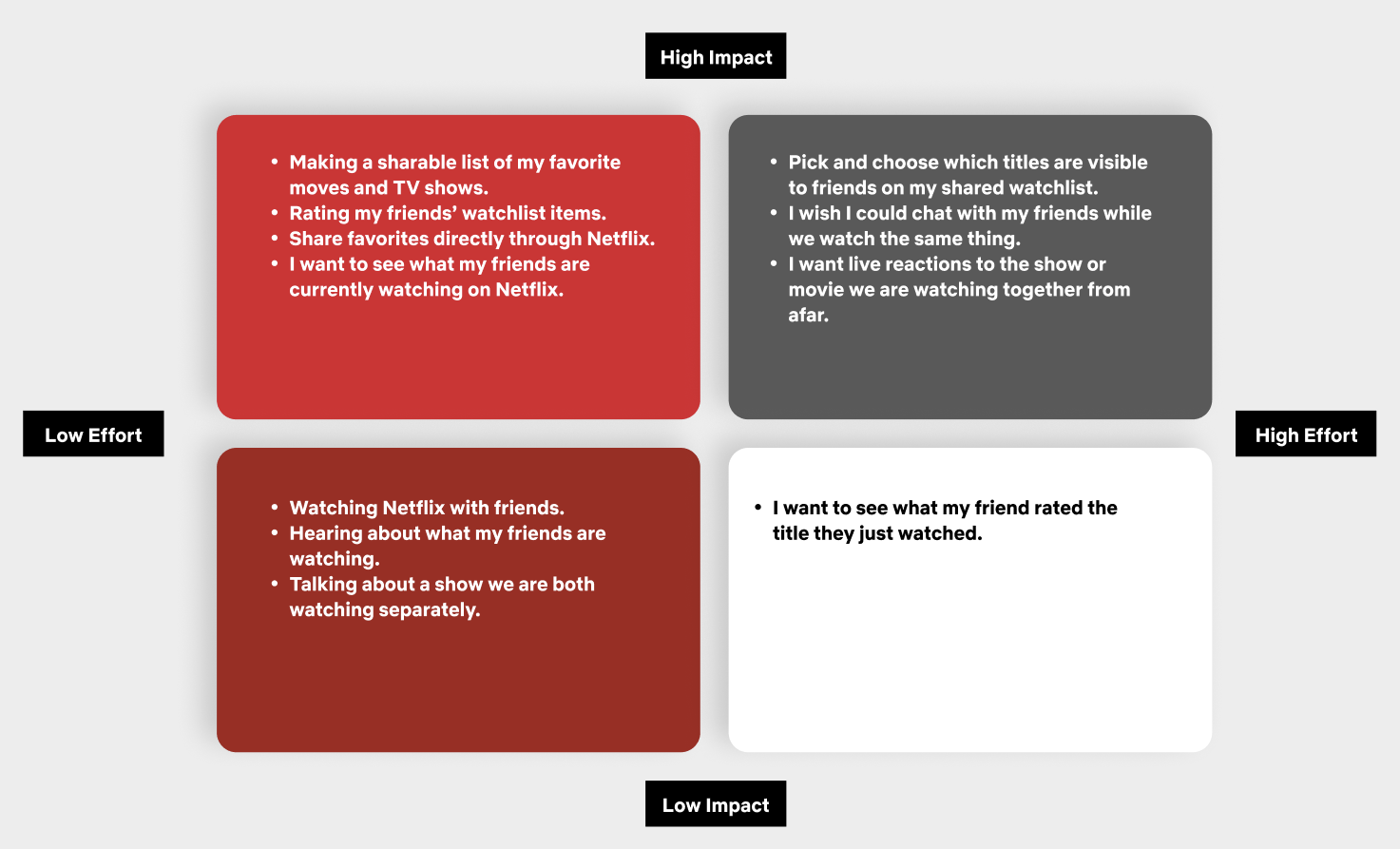
High-Impact Ideas:
See what friends are watching
Share and rate recommendations
Create a “My Circle” for close friends
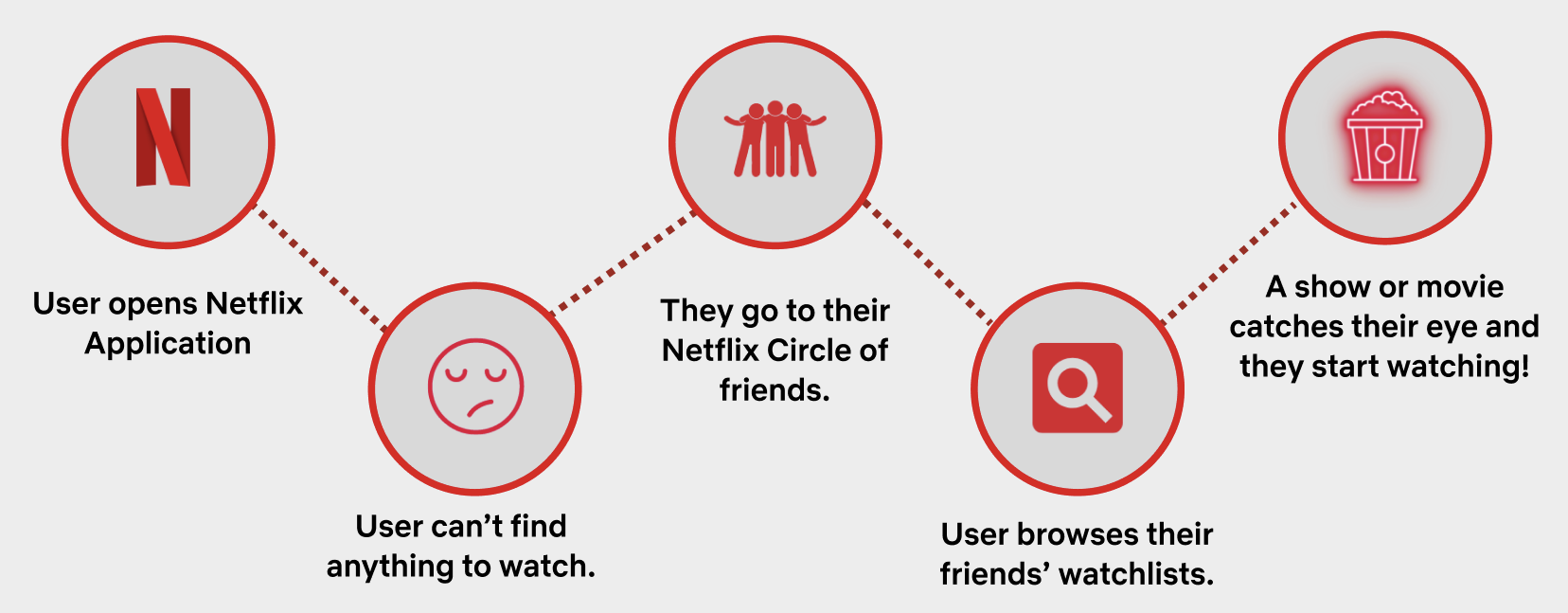
A Journey Map then visualized how a user might discover and interact with Netflix Circles.
Information Architecture
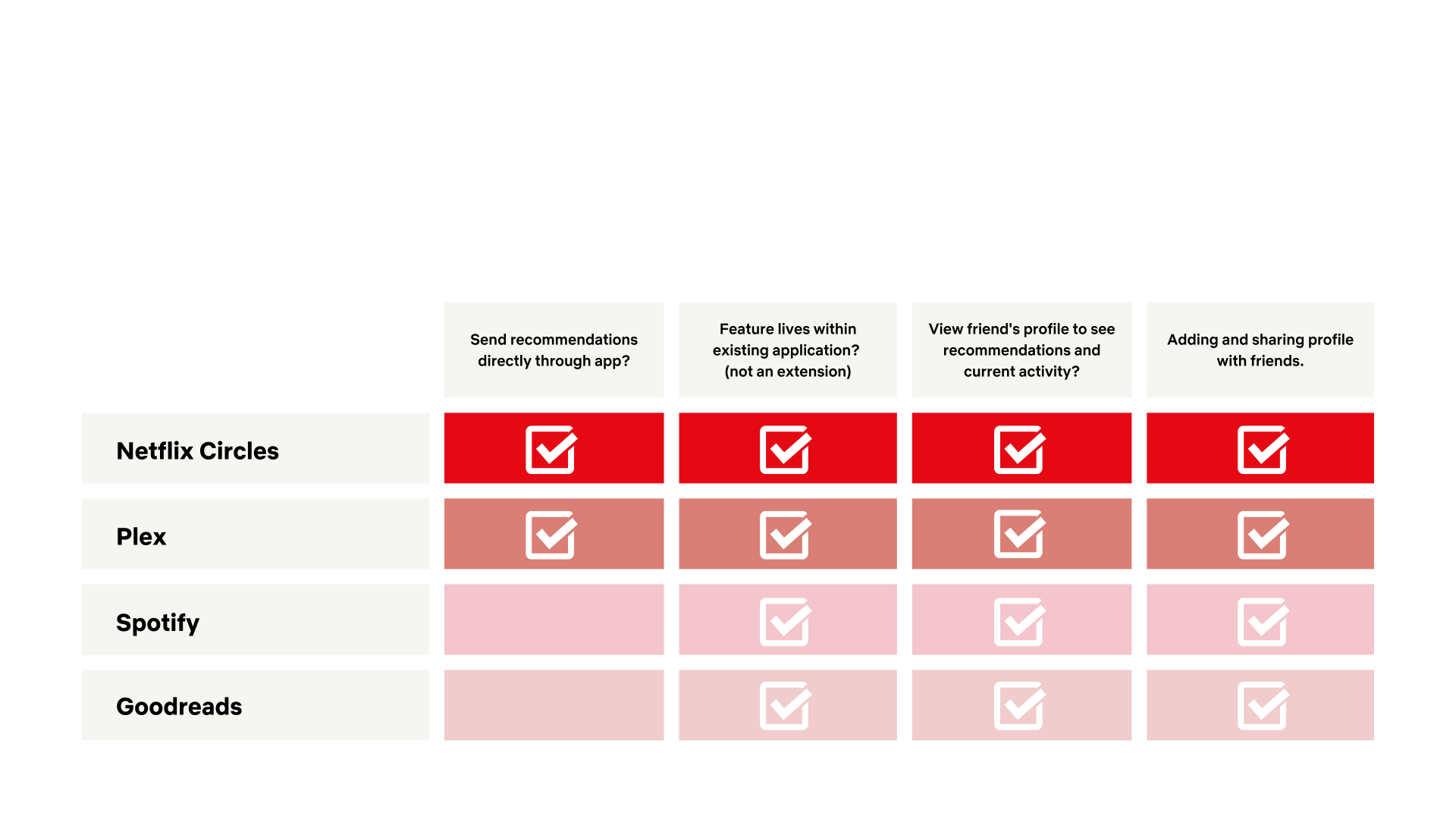
We analyzed other media-sharing platforms like Plex, Spotify, and Goodreads to understand social integration patterns.
Insights:
Plex offered direct in-app sharing but lacked the Netflix polish.
Spotify and Goodreads inspired our focus on activity visibility — seeing what others are engaging with.
Netflix Circles aims to combine both strengths into one unified experience.

We then mapped a user flow showing how users could add friends, view recommendations, and start watching—all in one smooth sequence.
Prototyping
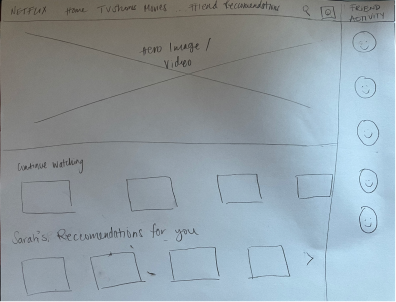
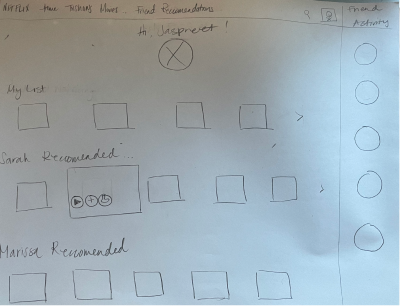
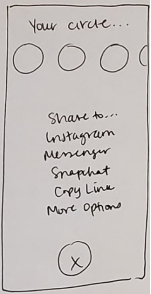
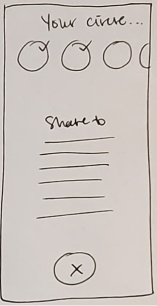
We designed Netflix Circles across three devices: desktop, mobile, and TV.
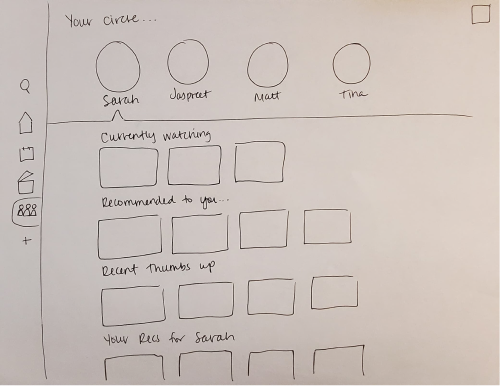
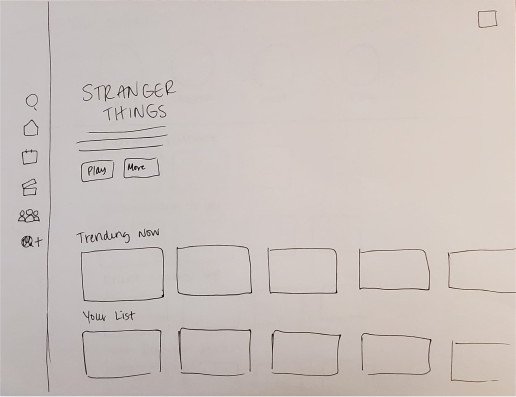
TV
Desktop
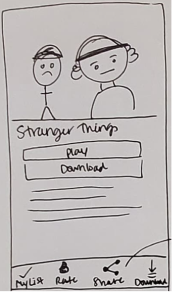
Mobile
Sketches → Low-Fidelity Wireframes
Starting with hand-drawn sketches, we quickly moved to grayscale wireframes to test the layout and hierarchy of the new feature across devices.
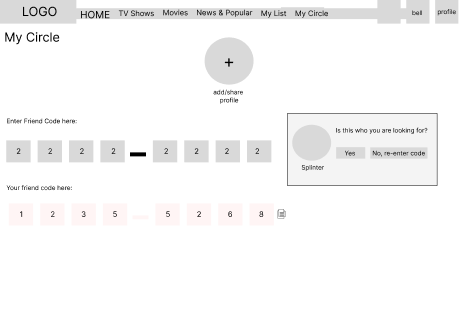
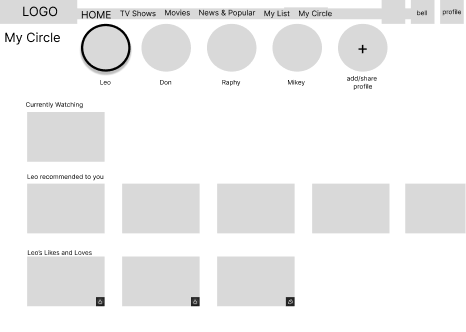
Desktop
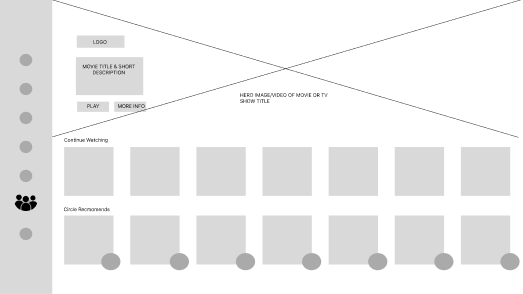
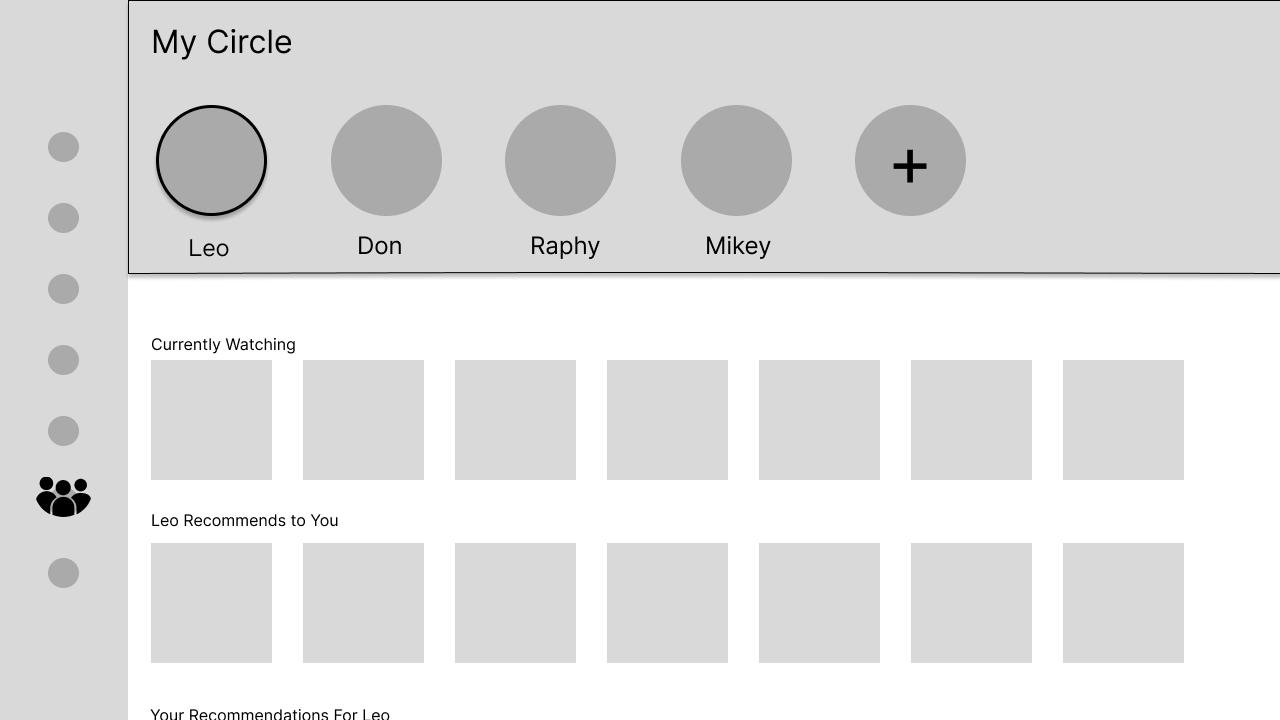
TV
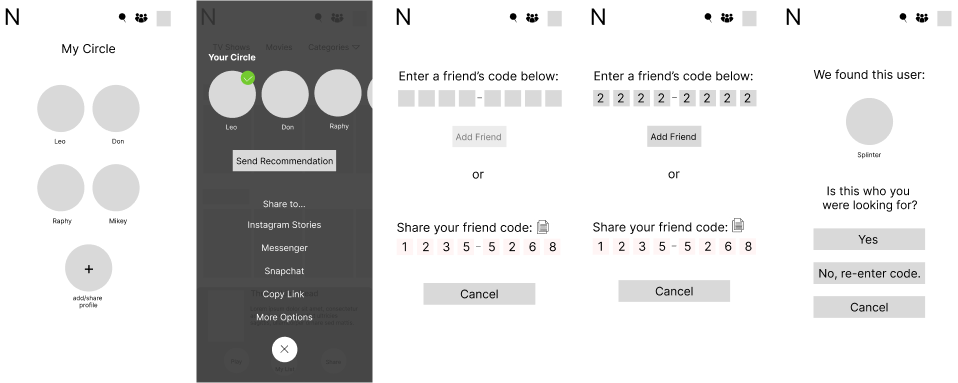
Mobile
Design Goals:
Maintain Netflix’s clean, cinematic aesthetic
Integrate the new feature seamlessly into existing navigation
Ensure intuitive usability across platforms
User Testing and Iterations
We conducted usability testing with 5 participants across desktop, mobile, and TV prototypes.
Objective
Validate that the feature feels intuitive
Test adding friends and sending recommendations
Confirm visibility and button clarity
Tasks
Add a friend to your Circle
Recommend a show
Browse your Circle’s watchlist
Findings
Some buttons blended into the background
Color hierarchy caused confusion
Modals needed clearer actions
Improvements Implemented
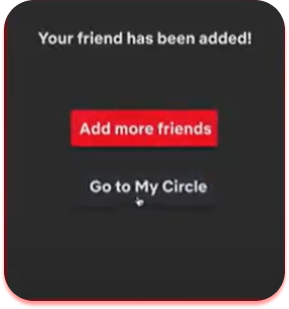
Before
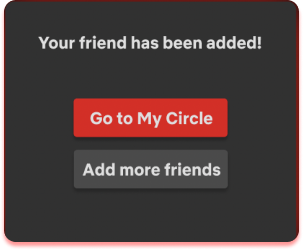
After
Adjusted modal hierarchy (“Go to My Circle” placed above “Add More Friends”)
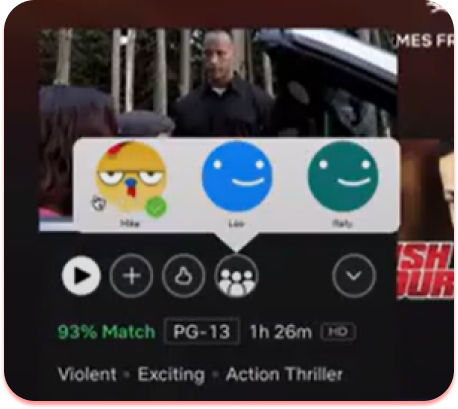
Before
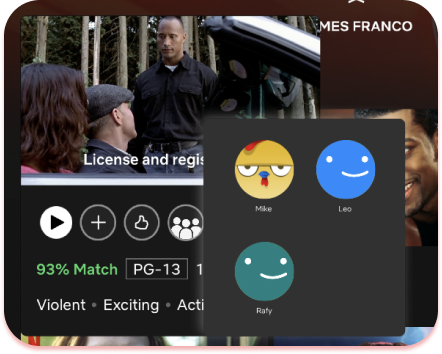
After
Refined visual contrast and simplified interaction states for accessibility
Final Prototype
The final solution seamlessly blends into Netflix’s established UI while introducing a personal, social layer.
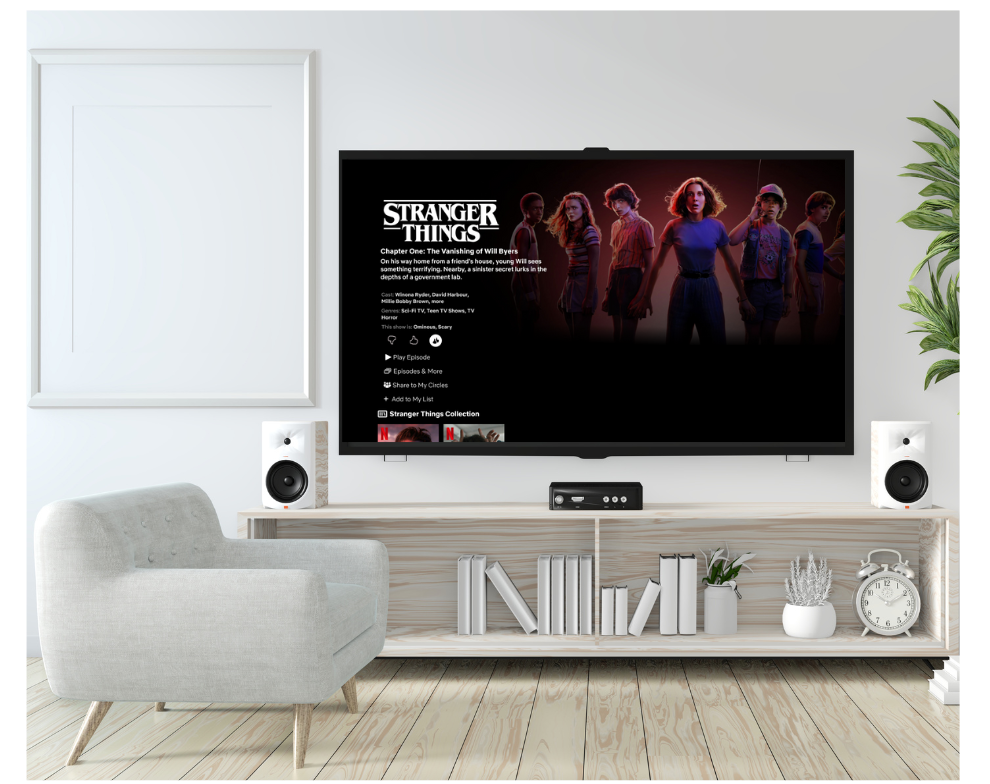
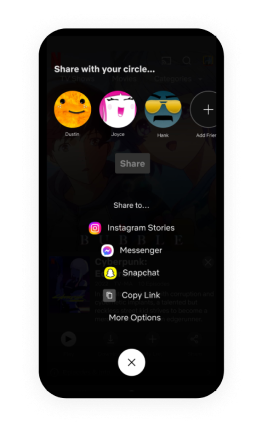
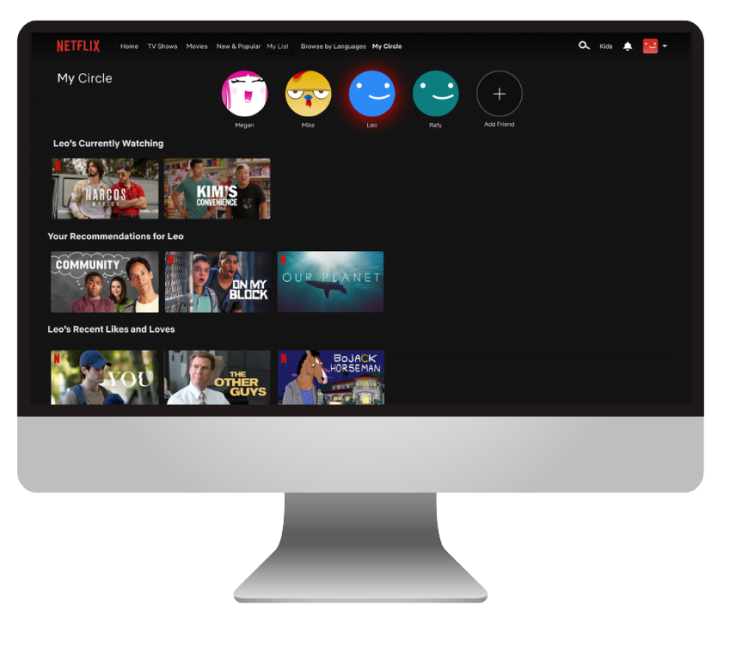
Key Features:
“My Circle” hub to view friends’ profiles and recommendations
One-click sharing and viewing
Multi-device continuity across TV, desktop, and mobile
We also had so much fun coding a feature announcement page for Netflix Circles, using Netflix’s Newsroom articles as inspiration!
Thoughts & Conclusion
This project deepened my understanding of designing within a predefined brand system and translating social interaction across devices.
Key Takeaways
Adapting a social feature for TV UX required creative prototyping beyond traditional screen interfaces.
Our design successfully demonstrated how Netflix could foster connection without losing its core viewing experience.
Next Steps
The scope of this project was focused on one feature, however along the way, we had ideas of additional features to add:
Covert Mode: Let users control visibility of shared titles
Watch Parties: Add a synchronized chat for shared viewing sessions